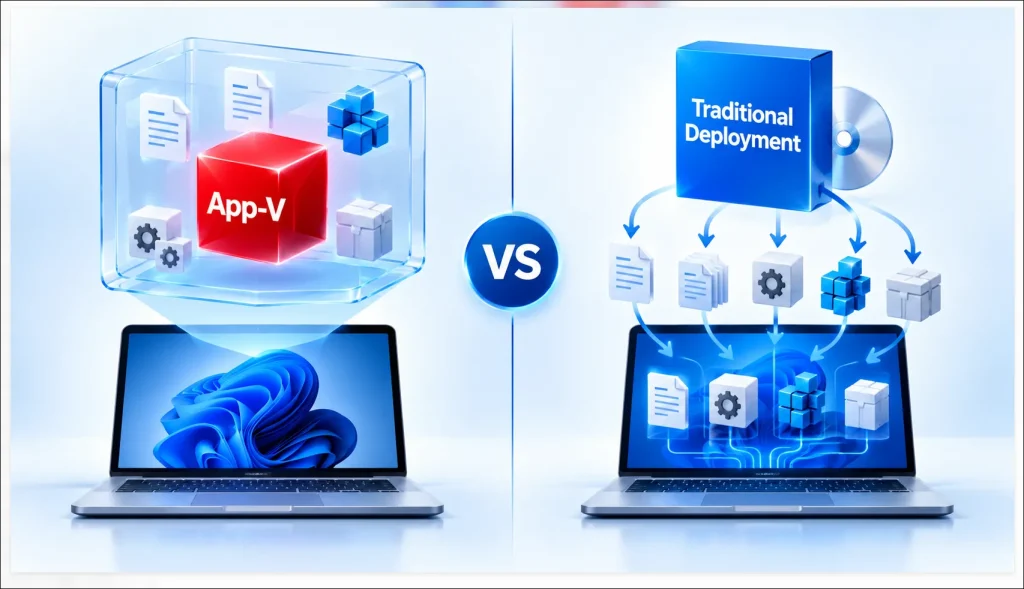

Simplifying Enterprise Application Deployment with Microsoft Intune
As organizations move toward modern, cloud-based endpoint management, Microsoft Intune has become an important platform for securely deploying, managing, and updating applications across enterprise devices.
Microsoft Intune enables IT teams to centrally manage application delivery, reduce manual installation efforts, and provide a consistent application experience across managed Windows endpoints.
However, successful application deployment requires more than uploading an installer. Applications must be properly packaged, configured, tested, and validated to ensure reliable delivery.
At APP Packagers, we help organizations prepare and deploy enterprise applications through Microsoft Intune with standardized packaging, deployment configuration, and application testing services.
What Is Microsoft Intune Application Deployment?
Microsoft Intune Application Deployment is the process of distributing, installing, updating, and managing applications on supported devices through Microsoft’s cloud-based endpoint management platform.
Intune supports multiple application types, including:
- Win32 Applications (.intunewin): Traditional Windows applications prepared for Intune deployment.
- MSI Applications: Windows Installer-based applications supported through applicable Intune deployment methods.
- MSIX Applications: Modern Windows application packages.
- Microsoft Store Applications: Applications distributed through supported Microsoft Store integration.
Intune enables organizations to configure application assignments, installation behaviour, detection rules, requirements, dependencies, and deployment monitoring from a centralized management console.
Key Steps for Successful Intune Application Deployment
1. Application Assessment
Review the application installer, architecture, prerequisites, silent installation parameters, dependencies, and deployment requirements.
2. Application Packaging
Prepare applications using suitable packaging technologies such as MSI, MSIX, PSADT, or Intune Win32 packaging (.intunewin).
3. Deployment Configuration
Configure installation and uninstall commands, detection rules, requirement rules, installation context, dependencies, and return codes.
4. Application Assignment
Assign applications to appropriate users or devices using Required, Available, or Uninstall assignments where supported.
5. Testing & Validation
Test application installation, functionality, detection, upgrades, and uninstallation on representative managed devices before production rollout.
6. Deployment Monitoring
Monitor deployment status through the Microsoft Intune admin center, investigate installation failures, and remediate issues where necessary.
Common Intune Application Deployment Challenges
Organizations may encounter several issues during application deployment:
- Installation Failures: Incorrect silent switches, commands, or installation context.
- Detection Rule Issues: Incorrect detection logic causing false installation status.
- Missing Dependencies: Required runtimes, frameworks, or supporting applications.
- Application Compatibility: Installer or configuration issues affecting target Windows devices.
- Deployment Configuration Errors: Incorrect requirements, assignments, or restart behaviour.
- Troubleshooting Complexity: Insufficient logging or unclear installation return codes.
Proper application packaging and testing help identify these challenges before wider deployment.
Benefits of Microsoft Intune Application Deployment
- Cloud-Based Management: Centrally manage applications across supported enterprise endpoints.
- Automated Deployment: Reduce manual installation and configuration efforts.
- Consistent Application Delivery: Standardize installation and deployment settings.
- Simplified Application Management: Manage application assignments, updates, and removal.
- Improved Deployment Visibility: Monitor installation status and troubleshoot failures.
- Scalable Deployment: Support application delivery across distributed enterprise environments.
How APP Packagers Can Help
APP Packagers provides professional Microsoft Intune Application Packaging and Deployment Services to help organizations simplify enterprise application delivery.
Our services include:
- Intune Win32 Packaging: Preparing MSI, EXE, and supported application installers as .intunewin
- Application Packaging & Customization: Creating deployment-ready packages using MSI, MSIX, and PSADT.
- Deployment Configuration: Configuring installation commands, detection rules, requirements, dependencies, supersedence, and return codes.
- Application Testing: Validating installation, functionality, upgrades, and uninstallation.
- Troubleshooting & Remediation: Identifying and resolving packaging and deployment issues.
- SCCM to Intune Migration: Preparing existing Configuration Manager applications for modern Intune deployment.
Whether your organization needs to deploy a single business application or manage a large application portfolio, APP Packagers helps prepare applications for reliable cloud-based delivery.
Conclusion
Microsoft Intune simplifies enterprise application deployment, but reliable delivery depends on correct application packaging, configuration, testing, and monitoring.
By following a structured approach to application assessment, packaging, deployment configuration, and validation, organizations can reduce deployment failures and improve application management.
With specialized Microsoft Intune Packaging and Deployment Services, APP Packagers helps organizations deliver applications more consistently across modern Windows environments.
APP Packagers help you package, configure, test, and prepare your enterprise applications for Microsoft Intune deployment.